1. The Flipped Classroom
The flipped classroom is a blended delivery model that essentially has students learn new material for homework and practice the material in the classroom (opposite from the traditional "learn new material in the classroom and practice at home" format of teaching). The "learning-for-homework" is most frequently done through educational video casts called vodcasting. As an example, a math teacher could pre-record a lecture on new material, assign it to the students to watch for homework, and then use class time to have students practice what they learned with the benefit of having the teacher available for additional explanation and any questions. Chapter 10 of Teaching and Learning with Technology cleverly terms the teacher's role change from "sage on the stage" to "guide on the side." I particularly love this method of teaching because of my natural learning style. Often times in the traditional class, I am very lost, the new information is overwhelming, I'm so focused on writing down lecture notes that I don't have time to comprehend the information or ask questions, et cetera... which causes me to feel constantly behind in class and often forces me to teach myself the material after school and then attempt the assigned homework. The flipped classroom appeals to me because I can watch the recorded lecture at my own pace, rewind or re-watch if I need to, write down any questions, and have time to process it on my own before going to class. If not wanting to pre-record lectures, websites like Kahn Academy (https://www.khanacademy.org) are great assets.
2. Professional Development Web-Resource Review
I decided to review Discovery Education's Educational Professional Development website. (http://www.discoveryeducation.com//what-we-offer/professional-development/explore/index.cfm)
This company partners with districts to identify goals, develop customized learning plans, collaboratively design professional learning plans, address teacher and administrator needs, provide certification opportunities for web-based learning experiences, and offer free digital academies in leadership, literature, math, and STEM subjects.
It comes at a cost though: One day of on-site professional development is $2,500, which includes a six hour session with an expert instructor. For $600, a three session webinar is available for purchase. However, Discovery Ed offers K-12 teacher classroom resources for free! This aspect of the company I believe would be the most practical and useful for me as a new teacher. The community blog and the student resources are also helpful tools to enhance my future teaching! Overall, this website/ company seems to be very helpful to all those in the education realm, weather a elementary student, high school teacher, or district administrator.
3. Reflection of Information Dissemination Assignment
This power point assignment was actually quite fun! Although I grew up using Windows, I was not familiar with the newest/ upgraded powerpoint software. I learned that there are so many options to help create a great presentation. One element I was unfamiliar with was the "button" function -- allowing the viewer to click through the slides or access whatever page the button is hyper-linked to. It was also helpful for me to think about effective instructional techniques when using power point. The tips Lauren gave about keeping it concise and not overloading the slides with information were extremely helpful! I don't think I would change this assignment in any way.
(and unfortunately I don't have a screen shot of my assignment -- I created it on an FSU desktop computer since I have a Mac and don't have powerpoint)
Saturday, November 14, 2015

Monday, November 2, 2015
Blog Post 8
I believe electronic paper holds the biggest promise for future education. Once it becomes more fully developed and sold at a more affordable price (currently around $100), I predict that this technology will be a great asset to the majority of classrooms and schools. Not only will it drastically decrease the need for paper, but it is a much improved alternative to ebook readers/ tablets -- lighter, flexible, unbreakable, compact, and (soon to be) less expensive. As long as this technology doesn't have a significantly adverse affect on handwriting, this tool has a very positive outlook for widespread usage in classrooms (especially if it adopts the "book-like" screen of some e-readers rather than a computer-like screen that can be distressing to the eyes).

http://hechingerreport.org/kids-teaching-robots-is-this-the-future-of-education/
One future technology not mentioned in chapter 12 is the possibility of educational robots. Described in the above hyperlink, a robot named "Betty" is designed to "learn" from students, enhancing the students' learning process while not being judgmental (as another human might be).
The digital divide is the gap between people who have access to technology (and knowledge/ use) and those who do not. This disparity is a major problem since modern advancements are increasingly tech/ computer-based -- meaning education, jobs, employment skills, et cetera will be more and more technologically based. Therefore, those with little to no access to these technologies are at a significant disadvantage in the work force and education realm. Luckily, I have have grown up with access to technology, knowledge of its use, and frequent practice of tech-skills. My accessibility and knowledge of technology/ computers places me in the "digital native" category. However, not all students in my future classroom will be "digital natives" as I am. In effort to boost "internet-fluency" I will integrate computers and technology into my lessons, making sure to give practical tips to all students.
Monday, October 26, 2015
Post 7
In teaching Bloom's Taxonomy (hierarchal stages of remembering, understanding, applying, analyzing, evaluating, creating), Powerpoint will be a great tool. To most effectively teach this concept, I will first broadly introduce the topic on the first slide, perhaps showing an illustration of the taxonomy. I will then explain each level more in-depth, having each slide describe each level. I will then briefly recap the new material and check the students' understanding with a simple self-check slide.
Adaptive technologies are of utmost importance! It is impertinent that I, to the best of my ability, help students with disabilities learn at the same pace as my other students. Adaptive technologies such as brail printing and computer text readers will help foster student learning. I do not currently know of any specific student that is in need of adaptive technology. One potential problem I predict is student-disability immersion. Although these technologies will help increase student learning and productivity, it could result in isolating the disabled student from the rest of the class.
The teacher website was surprisingly fun and incredibly easy! It was unfortunate that weebly does not have a "calendar" function in its setup, but besides that, I was very pleased with the user-friendly website. I will absolutely use this tool when I become a teacher. It is a great way to stay connected to both students and parents.

http://teachernumber1.weebly.com
Adaptive technologies are of utmost importance! It is impertinent that I, to the best of my ability, help students with disabilities learn at the same pace as my other students. Adaptive technologies such as brail printing and computer text readers will help foster student learning. I do not currently know of any specific student that is in need of adaptive technology. One potential problem I predict is student-disability immersion. Although these technologies will help increase student learning and productivity, it could result in isolating the disabled student from the rest of the class.
The teacher website was surprisingly fun and incredibly easy! It was unfortunate that weebly does not have a "calendar" function in its setup, but besides that, I was very pleased with the user-friendly website. I will absolutely use this tool when I become a teacher. It is a great way to stay connected to both students and parents.

http://teachernumber1.weebly.com
Monday, October 19, 2015
Post 6
1. I chose to investigate my old high school's website (Lincoln High) and to my surprise, it has much improved since I was a student there! The school colors are integrated nicely, yet the text is easy to read. As you can see in the screen shot below, the main feature of the main page is the high quality volleyball photograph that creates a sense of joy and teamwork in the viewer. In addition to looking good, the website has become very user friendly as well. Main tabs and easily understandable icons are strategically located and do not overwhelm the viewer.

2. I hope to implement helpful and meaningful technology into my future classroom preparation and instruction. On a basic level, I see great value in having a class website and using Microsoft Office Suite. More advanced technologies, such as a smart board, 3D printer, and other practical yet high-quality machines would be a great asset.
3. The web resource evaluation assignment was a great experience! I especially am fond of the group members in my group, we work great as a team. Things that could be improved include the BB instructions (unclear at times and not very reader friendly) and the group wiki site (PB works not very user friendly, very unclear, complicated design).


2. I hope to implement helpful and meaningful technology into my future classroom preparation and instruction. On a basic level, I see great value in having a class website and using Microsoft Office Suite. More advanced technologies, such as a smart board, 3D printer, and other practical yet high-quality machines would be a great asset.
3. The web resource evaluation assignment was a great experience! I especially am fond of the group members in my group, we work great as a team. Things that could be improved include the BB instructions (unclear at times and not very reader friendly) and the group wiki site (PB works not very user friendly, very unclear, complicated design).

Monday, October 12, 2015
Post #5
WEB 2.0
I think using collaborative web 2.0 technologies and websites can be immensely useful in the classroom...when used strategically and with purpose. This includes the use of blogs, social media, YouTube, Wikis, and other sophisticated, knowledge sharing/ information collaborating sites. Personally, I think social media would be more of a distraction than helpful tool in classroom instruction. For teacher professional development however, it may be quite useful. Whichever Web 2.0 tools used however, the teacher and students must first have the required equipment available. This means accessible computers with updated software, perhaps network sharing within the school or wifi, available printers, et cetera. But it's important to remember safety concerns that naturally come with use of the internet (cyberbullying, cyberstalking, illicit content, inappropriate behavior), and implement solutions such as a teacher controlled twitter account, password protection, and website blockers (web 2.0 podcast).
DIIGO REVIEW
https://www.diigo.com/index
I investigated the website Diigo for potential instructional use. I had never heard of it before, but once making an account and familiarizing myself with the site, it seems very beneficial, especially for teaching (the catch phrase is "your learning, Simplified"). It is an impressive, multi-facitated site that offers tools to bookmark, tag, highlight, sticky note, outline, collaborate with groups, archive web pages, and create a personal library.
CONCEPT MAP
When creating the World War I concept map, I used Webspiration Pro for the first time (in addition to creating a digital concept map for the first time)! Thankfully the program was easy to navigate and understand, and within minutes I was actually enjoying the process of complicating and arranging my map. I learned specifically that the design and visual appeal are integral to concept mapping. The way the ideas connect together must be appropriate to the subject and be easily understood by the audience. When done effectively, I think concept maps can truly be a very helpful tool for students (to see when learning, but also to create themselves). 
Monday, September 28, 2015
Blog Post 3
Blog Post 3
In class today, we learned how to more effectively use search engines (primarily google), while also discussing credible and non-credible sources (and how to located credible sources efficiently). We discovered different forms of google, such as google gravity and google sphere (see picture below). While these google variations are visually entertaining, they seem to be an ineffective way to conduct efficient research.
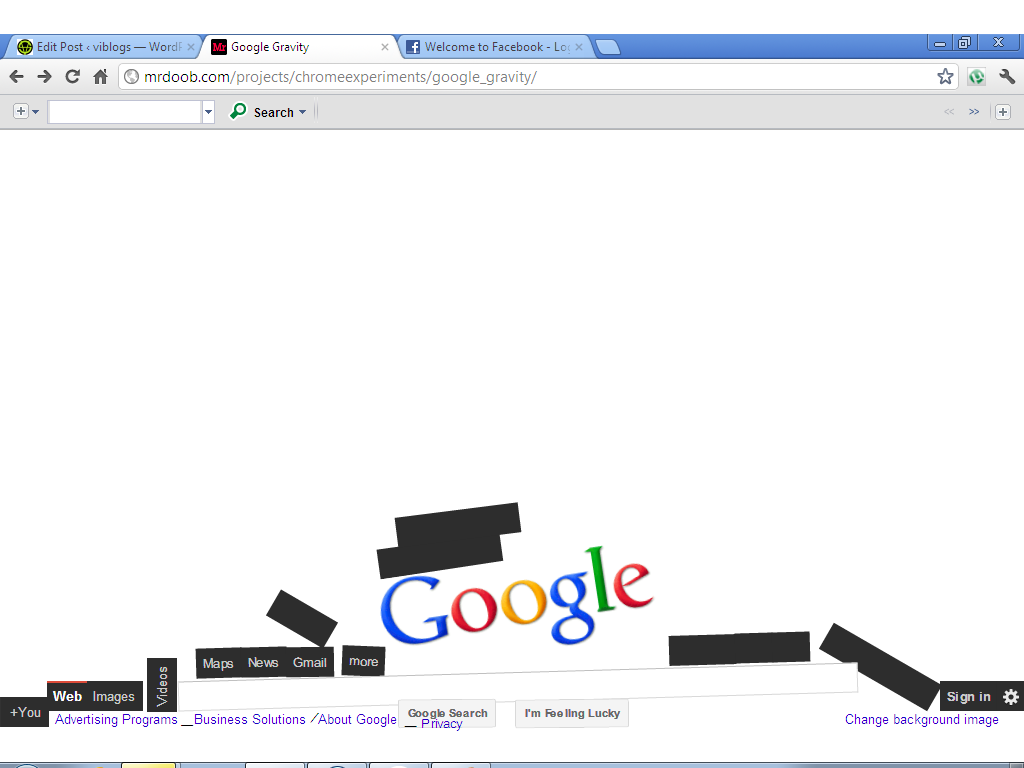

In class today, we learned how to more effectively use search engines (primarily google), while also discussing credible and non-credible sources (and how to located credible sources efficiently). We discovered different forms of google, such as google gravity and google sphere (see picture below). While these google variations are visually entertaining, they seem to be an ineffective way to conduct efficient research.

For high school students, I would like to integrate technology software/ applications such as video conferencing, advanced search engines, academic portals, and weblogs. In teaching and utilizing these softwares, my students will learn the importance of academic honesty, how to respect copyright, and many other necessary skills when dealing with online information.
In the newsletter assignment, through trial and error, I discovered aesthetic ways of giving academic information aimed at parents. I appreciated this assignment because of its practical nature. If I become a teacher one day, creating a newsletter is certainly something I'll have to do. The design aspect of this project was surprisingly more difficult than I would have expected.
Monday, September 14, 2015
Blog Post 2
Throughout grade school, middle school, and high school I used MS Word. All seven schools that I’ve been to had PC computers, therefore making our use of Word frequent (as opposed to Mac Pages).
My most direct use of Word in elementary and middle school was when my class visited the computer lab and when I had a typing class (2nd grade; 8th grade). In high school, my use of Word became much more frequent. All of my teachers used Word in some way, whether in making tests, teaching through computer projection, creating worksheets, etc. As a future teacher, I hope to take advantage of online lesson planning communities (such as “Think, Educate, Share” and “Share my Lesson”), especially in my first years of teaching. Prior to reading chapter one, I had no idea that there were thousands of standards-correlated lesson plans available online in every content area for every grade level.
In high school, my teachers always included a "sources" page in their lessons and we as students were always required to include a "works cited" page to comply with copyright/ fair use. Plagiarism was (and still is) a big deal. When I am a teacher, I will make sure my students will be equally cautious to avoid plagiarism by teaching them the basics of copyright, fair use, how to give credit, etc. Use of Twitter can be a great teaching asset as it creates quick communication, requires some level of creativity, and is fun and engaging for students.
Subscribe to:
Posts (Atom)